Edit image with AI
Good news, everyone! 🎉 You can now edit your own images - even photos - right in MeshZEUS.com
Change colors, add or remove details, and give the subject of your image a whole new look. Just upload an image, click “Edit image with AI,” and describe the changes you’d like to make.
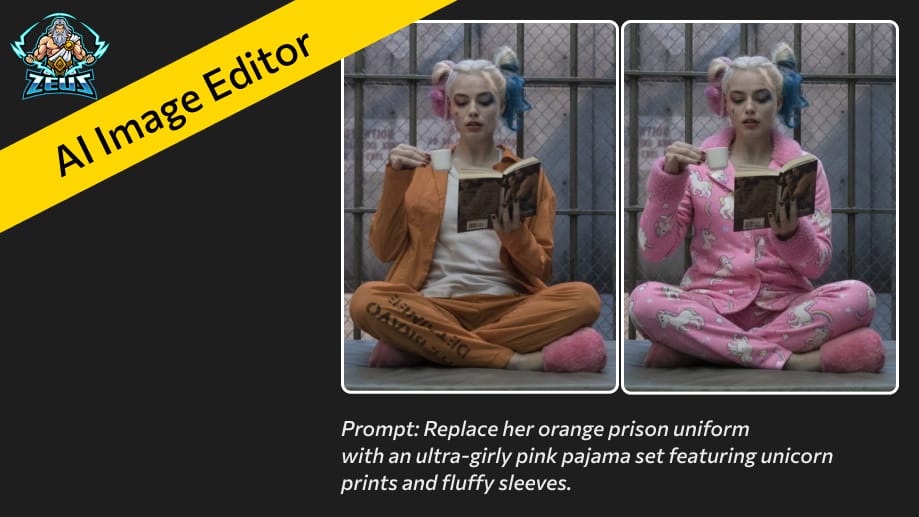
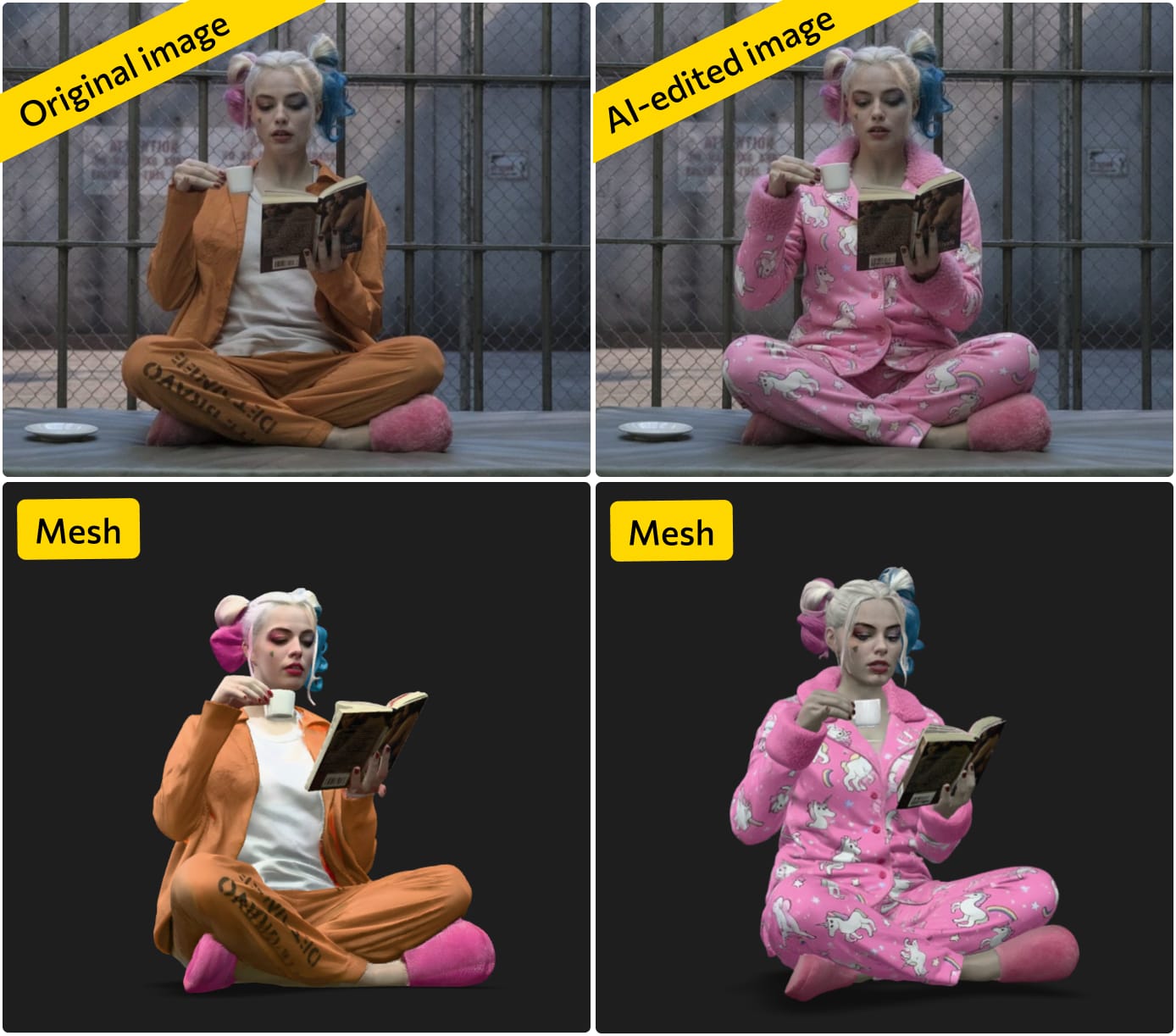
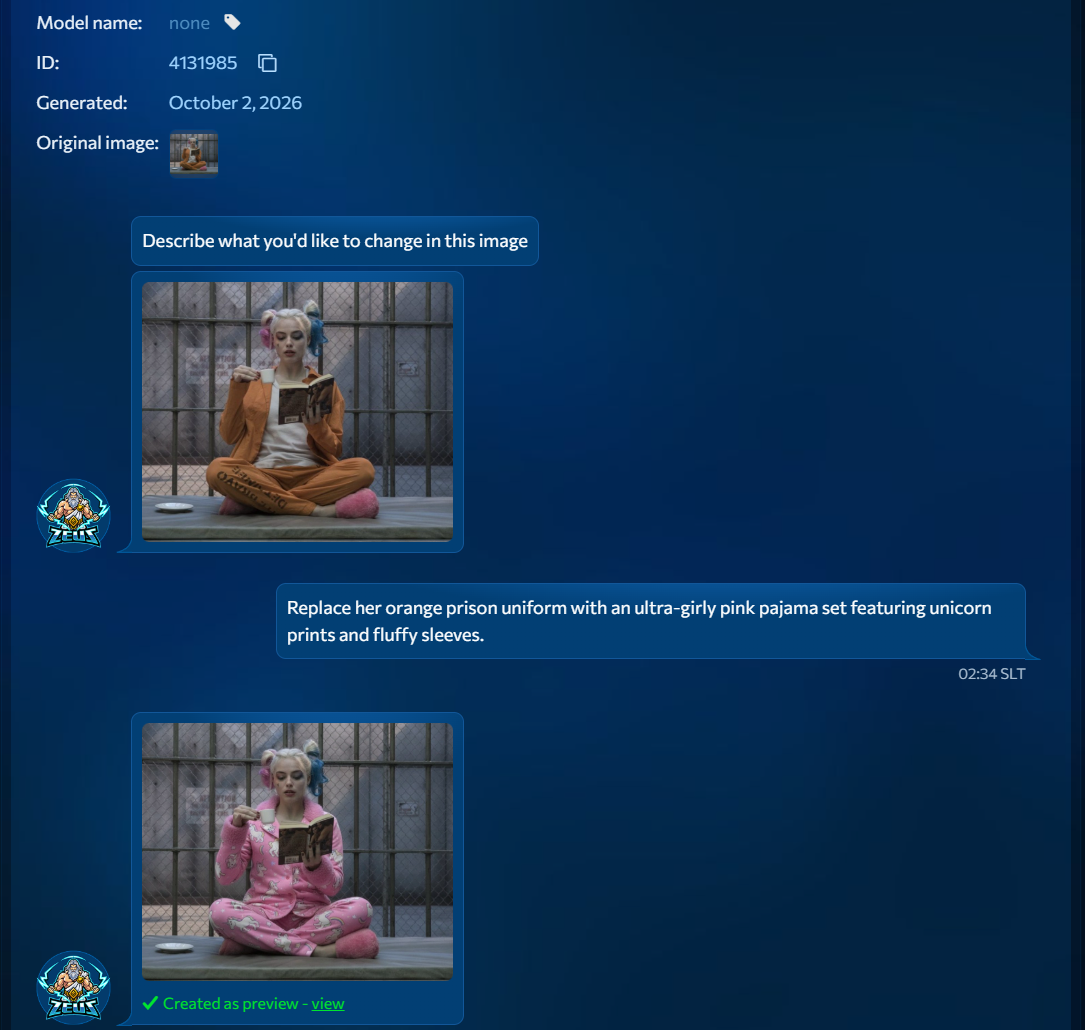
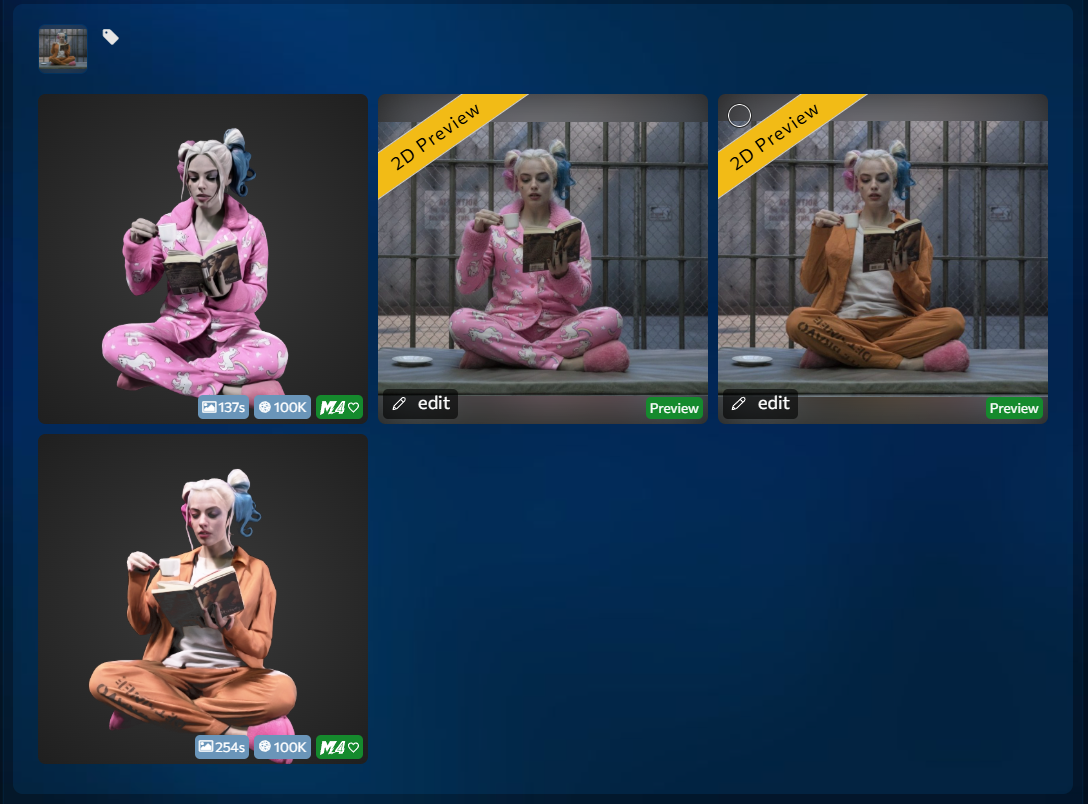
In the example pictured here, we transformed Harley Quinn’s orange prison uniform into a super-girly pink pajama set with just one prompt! No specialized software skills needed—we created the edited image and then a new mesh for Second Life, all in just one minute.
How to Use the AI Image Editor
- Upload an image and click “Edit image with AI.”
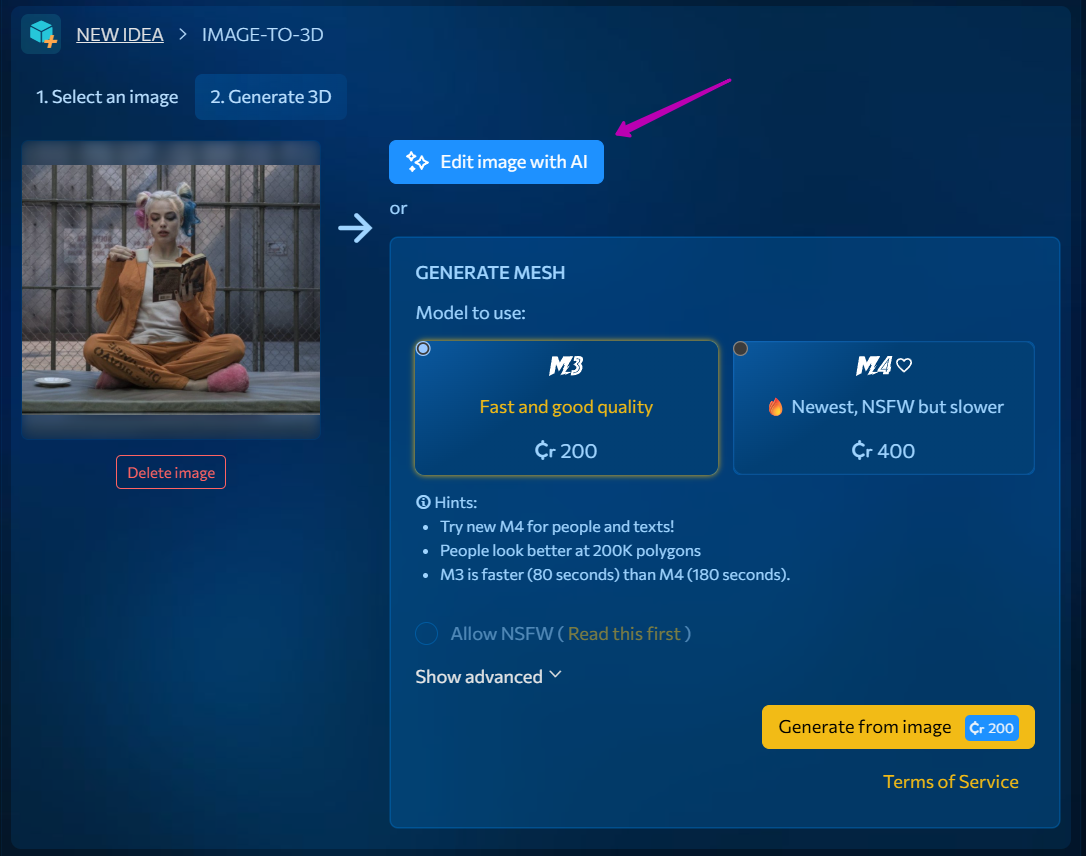
- On the next page, describe the changes you’d like to make and generate a new image. If you like the result, click “Use as preview.”
- An Idea will be created on your account page, containing both the original image and your new preview. You can generate a mesh from either one.
Give it a try - we’d love to see what you create!
Sign up now and get L$1,000 in free credits!
Welcome to MeshZEUS! The first and best AI mesh generator for Second Life!